

Table of Contents
Cold email outreach for beginners made simple: follow clear steps, stay compliant, and improve reply rate with proven 2026 benchmarks.
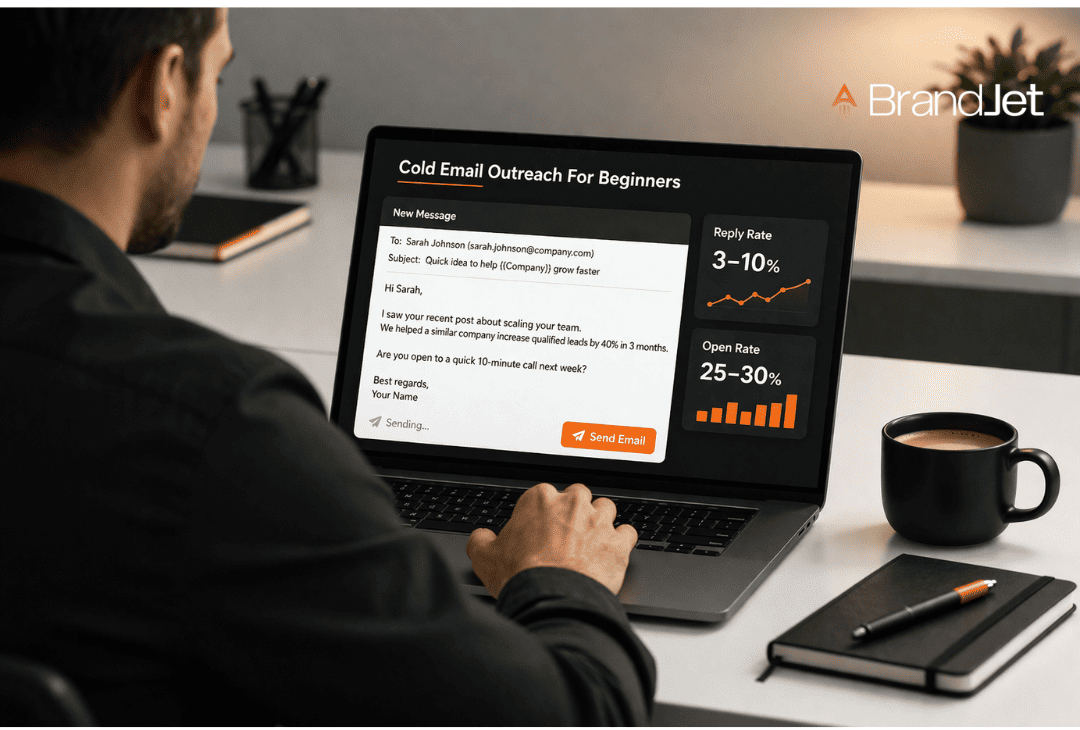
Cold email outreach for beginners is simple: send a clear, relevant email to someone who doesn’t know you yet. Done right, it starts real business conversations fast. Done wrong, it lands in the spam folder.
Most beginners fail because they skip basics like targeting and email warmup. Keep reading to learn what actually works in 2026.
Try it yourself with BrandJet to see how real-time signals can guide your outreach.
Cold Email Basics You Actually Need
Before tools and templates, you need the basics. Cold emailing is not about blasting a list. It is about sending the right message to the right target audience at the right time. This section sums up what drives results in cold email outreach for beginners.
- Cold email outreach = one-to-one communication, not mass email marketing
- Your reply rate depends on relevance, not volume
- Deliverability (inbox vs spam folder) matters as much as your copy
How Cold Email Outreach Works
Just getting an email opened isn’t the win. The real goal is a reply. If your campaign feels like a robot sent it, you’ll get silence. It needs to sound like a person.
The One-Sentence Formula
Think of your email like a quick chat you’d have in a hallway. You see something, point out a snag it might cause, suggest a fix, and then ask a tiny question. That’s it. Hook, problem, help, question.
Stop Sending Just One Email
Sending a single email and hoping is a bad strategy. You need a sequence. Most replies don’t come from the first message.
Here’s a basic schedule that works:
| Day | What to Do | |
| First Touch | Day 1 | Lead with your hook and your idea. |
| Quick Nudge | Day 3 | Send a brief, simple follow-up. |
| Proof Point | Day 5 | Share a short example or testimonial. |
| Last Try | Day 7 | Make your ask clear and direct. |
The data shows most replies hit your inbox after email number two or three. We’ve seen reply rates jump after the third follow-up. One email is barely a plan.
💡Pro Tip: In our campaigns, reply rate often doubles after the third follow-up. One email is not a strategy.
Build Your First Email Campaign
CRM software is for later. For now, use this simple method.
Step 1: Find Your Target Audience
Who do you want to email? Go to LinkedIn. Look for business owners, sales leaders, or marketing heads. Write them down.
Step 2: Build Your Contact List
Get their email addresses. Put every address in a Google Sheet. Keep the sheet clean.
Step 3: Verify Your Emails
Check your list with an email verification tool. Bad emails make you look like spam. This fixes that.
Step 4: Warm Up Your Email Account
Start small. Send a few emails a day to people you know. This makes email services like Gmail trust you.
Step 5: Write Your Message
Write less than 100 words. Talk about one issue. Ask for one thing.
According to the Massachusetts Institute of Technology (MIT),
“Invest in the Subject line: ‘Speak to the virtue or play to the vice’ – based on the background research on the person, either play up their achievements or name a pain point you know they have in the subject line. You should spend at least 50% of the time on the subject line and the other 50% on the body of the email (some say 80/20, 80 being the subject line.” – MIT Knowledge Base
Step 6: Send and Track Results
Use a service like Mailchimp. Send your emails. Watch who opens them. Watch who replies.
| Step | Key Action |
| Find Audience | Find people on LinkedIn. |
| Build List | Keep contacts in a Google Sheet. |
| Verify Emails | Make sure emails are real. |
| Warm Up Account | Send emails slowly at first. |
| Write Message | Short email, one point, one request. |
| Send & Track | See your open rate and reply rate. |
Example Email
Hi [Name],
Your LinkedIn post about your team was interesting.
You talked about [specific problem].
We helped a company fix that, cutting it by 30%.
Can we talk for a few minutes next week?
[Your Name]
Tools Beginners Actually Use
You can start outreach right now. Open a spreadsheet. Put your contacts in it. Use a mail merge tool to send your first batch of emails. That’s all you need to begin.
Tracking Opens and Clicks
After you send emails, you’ll want to know what happens. Who opened it? What did they click? Click tracking shows you exactly that.
A custom tracking domain makes your links look professional. These features give you data, not just guesses.
Old Outreach Hacks
People still use tools like the Rapportive plugin. It finds social media profiles in Gmail. They use canned responses to answer common questions fast.
These methods work, but they create a mess. Your contact’s information ends up in your spreadsheet, your email tracker, and your Gmail sidebar.
The Switch to a Single Platform
Today, most teams don’t use three separate tools. They use one CRM platform for everything.
| Using Separate Tools | Using One CRM |
| Contacts live in a spreadsheet | Contacts live in the CRM |
| You send email from a mail tool | You send and track email in the CRM |
| You check opens in another app | Opens and clicks log automatically |
| You lose the conversation history | Every email and reply is in one thread |
This change fixes a big problem: scattered data. With a CRM, you see the complete story with a prospect.
You see the first email you sent, the PDF they downloaded, and their reply from last week, all on one screen.
You stop wasting time copying information between windows. You also make fewer mistakes.
The process is simple. Start with a basic list. Send emails manually. When you’re ready to grow, a unified platform brings your contacts, your emails, and your data together.
Cold Vs Warm Outreach
Email outreach? It’s two different games. The one you choose decides whether you get ignored or get a reply.
Cold Email: The First Message
You’re sending this to a total stranger. They don’t know you. Because of that, replies are rare, maybe 1 to 5 people out of a hundred will answer.
It’s hard work to make it good. You send these to find brand-new customers.
| What it is | Cold Email |
| Relationship | None at all. |
| Reply Rate | 1% – 5% |
| Effort | A lot |
| Goal | Find new leads |
Warm Email: The Follow-Up
This goes to someone you already know a little. You’ve talked before, maybe online or at an event. That small connection makes people more likely to reply, often 10% to 30% will.
It’s simpler to write. You use these emails to turn contacts into sales.
| What it is | Warm Email |
| Relationship | Some past contact. |
| Reply Rate | 10% – 30% |
| Effort | Less |
| Goal | Close deals |
Cold email finds the opportunity. Warm email takes it. You need both, but they’re not the same tool.
💡Pro Tip: Visit someone’s LinkedIn profile before emailing. That small step can improve open rate because your name feels familiar.
2026 Benchmarks For Beginners
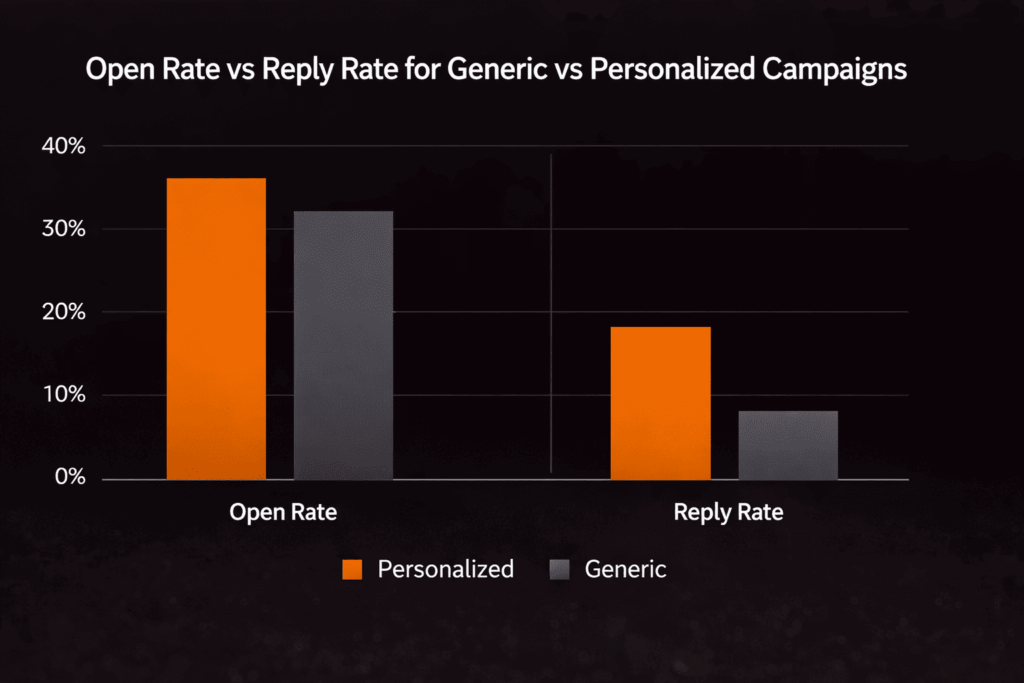
Bad results? Check two things: is your list full of dead addresses, and are you even talking to the right people?
Nobody reads a generic email. It shows you didn’t care to look them up. A personalized one proves you tried.
| Generic Email | Personalized Email |
| Blasts everyone | Talks to one person |
| Low replies | Better replies (3–10%) |
| No research | Actual research |
Common Beginner Mistakes
Most cold email campaigns fail for obvious reasons. You can avoid these pitfalls. The main error is rushing forward before you’ve figured out what actually gets a response.
Sending Too Many Emails Too Fast
Email providers track your sender reputation. Sending hundreds of messages immediately from a fresh address looks like spam to Gmail.
Using Bad Contact Lists
Old lists, wrong addresses, or lists you bought lead to high bounce rates.
Skipping The Follow-Up
The first email rarely gets the reply. If you send one message and then quit, you’re missing most of your potential replies. Setting up 2 or 3 follow-up emails can triple your response rate.
Here’s the core difference: cold email isn’t paid advertising. You can’t just buy more scale. You have to prove your method works reliably before you’re allowed to scale up.
Begin with 20 emails per day. Refine your message. Watch what gets opened and what gets a reply.
Only send more when you have a system that consistently pulls in responses. That’s the safe path to growing your campaign.
💡Pro Tip: Start with 20 emails a day. Fix your message before increasing volume. That is how you reach the next level safely.
BrandJet Use Cases In Outreach
Cold emails are broken. They land in the inbox like junk mail, because they are. You’re sending them when it’s convenient for you, not when it matters to the person reading it.
Timing isn’t a guess. It’s a reaction. The best time to email someone is right after they do something that shows they need you.
Did they post a job for a role you help hire for? Did their company get funding? That’s your signal. That’s when you send the email.
Connect Outreach to Real Events
Your process should be automatic, but not robotic.
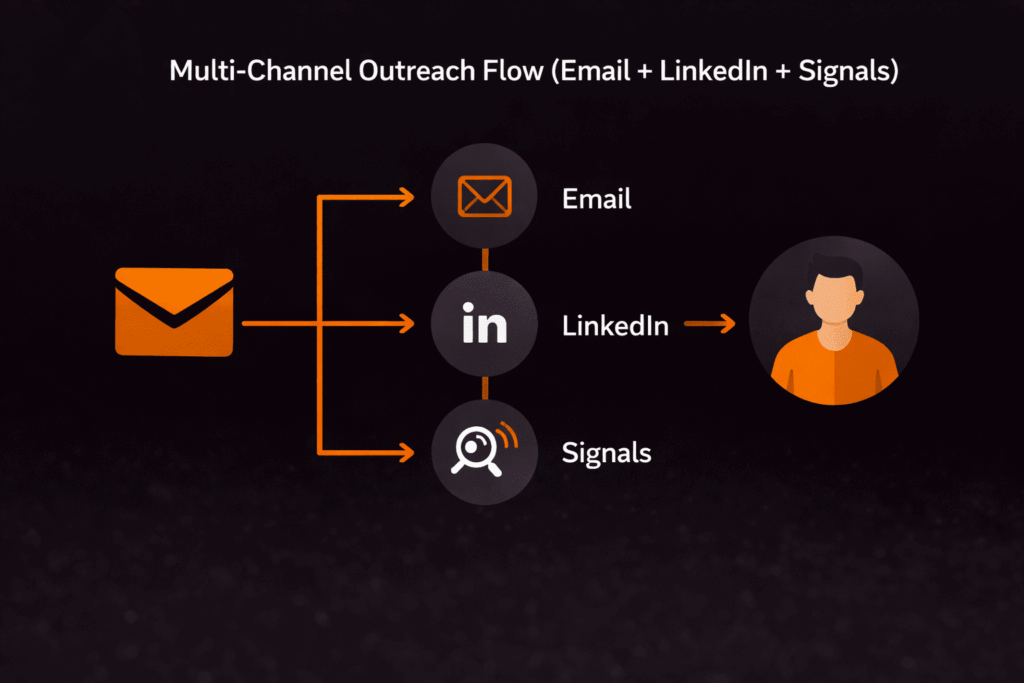
- A signal fires (e.g., “Company X launches a new product”).
- Your system adds the right contact to a pre-written email sequence.
- The email goes out, referencing that specific launch.
This is what BrandJet does. It watches the web for you news, social media, job boards. When it finds a match for your criteria, it triggers your outreach. You stop spraying messages and start having timely conversations.
The result is simple: emails that don’t feel cold. They feel like a follow-up.
| The Broken Method | The Reactive Method |
| Batch-sending every week | Sending only when an event occurs |
| “I hope you’re well” | “Saw your launch today, congrats” |
| 1-2% reply rate on a good day | Reply rates that can hit 10% or more |
Cold Email Best Practices
Credits: GiveMeLeads
Forget the shortcuts. Real success comes from habits you maintain.
Write Naturally
Read your email aloud. If it sounds stiff or unnatural, simplify it. Use words from a normal conversation, not a corporate manual.
Make Social Proof Specific
A list of client logos is forgettable. One specific win is memorable. Try something like: “We helped [Client Name] reduce software onboarding time from 3 weeks to 4 days.”
According to the Kentucky APEX Accelerator,
“Communicate Value. Share the value your solutions provide instead of focusing on selling your product or service… Include a Call to Action. Clearly state the immediate action step you want the prospect to take and shy away from requesting multiple actions in one email.” – Kentucky APEX Accelerator
Change Only One Thing
| What to Test | What to Keep the Same |
| Subject line | Email body & call-to-action |
| Call-to-action button | Subject line & design |
Changing one variable tells you exactly what improved your results.
Focus on Replies
Email opens are just a metric. A reply is a potential customer. Track the conversations you start, not the clicks you get.
Cold email is simple. It’s about consistency. Pick these practices and stick with them.
Cold Email Results
You send emails and hear nothing back, it feels like wasted time and second guessing your approach. It gets frustrating fast.
Keep it simple and stay consistent, focus on who you contact and how you follow up, then let a tool handle the busy work.
BrandJet helps you track real signals so you can spend more time talking to people who might reply, not guessing what went wrong.
References
- https://orbit-kb.mit.edu/hc/en-us/articles/210160613-How-do-I-write-a-great-cold-email
- https://www.kyapex.com/post/creating-an-effective-prospecting-email

More posts

Cold Email Vs Warm Email Outreach: Strategy Guide
Cold email vs warm email outreach: compare strategies, learn when to use each, and improve lead generation, response...
Is Cold Email Outreach Legal? A Clear 2026 Guide
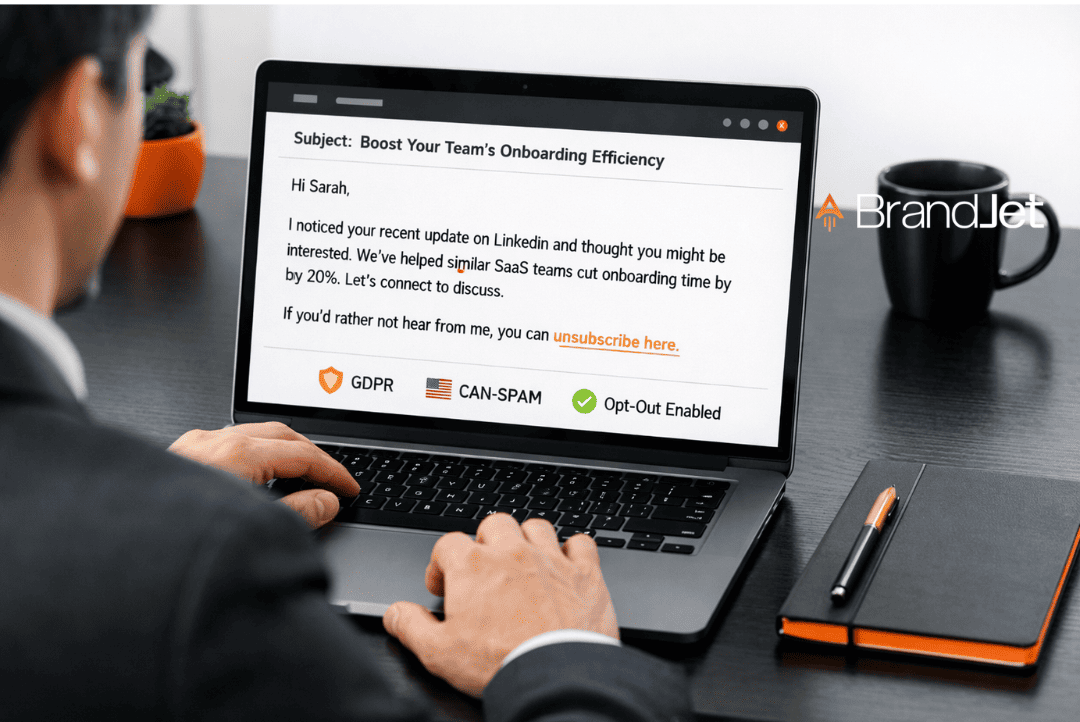
Is cold email outreach legal? Understand CAN-SPAM, GDPR, and key laws so you stay compliant and avoid costly mistakes....

How Does Cold Email Outreach Work in 2026?
Learn how cold email outreach works step by step in 2026, plus tips to personalize messages, improve deliverability,...